Personal finance
WalletFeed
An iPhone app for tracking spending on Apple Card, Apple Cash and Savings using Apple Intelligence, with no account or server storage of transactions.
- Votes
- 0
- DR (Ahrefs)
- 0 no change since last check
Ahrefs Domain Rating reported 18 Nov 2026, restated 18 Nov 2026.
An iPhone app for tracking spending on Apple Card, Apple Cash and Savings using Apple Intelligence, with no account or server storage of transactions.
Overview
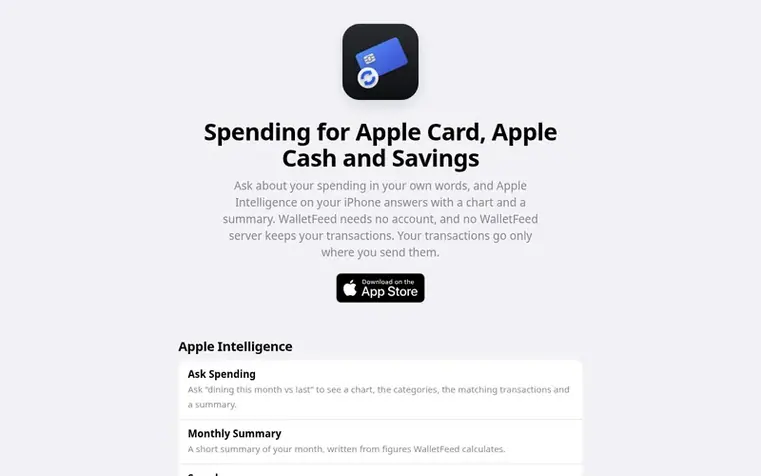
WalletFeed is a spending app for Apple Card, Apple Cash and Savings on iPhone. Ask about your spending in your own words, such as "dining this month vs last", and Apple Intelligence on your iPhone answers with a chart, the categories, the matching transactions and a summary. The app requires no account and no WalletFeed server keeps your transactions or keys. WalletFeed reads your transactions from Wallet on your iPhone when it needs them and doesn't keep a copy. With the optional WalletFeed Pro subscription, new purchases from your iPhone can be sent to budgeting apps, spreadsheets, accounting software and other services.
Feature summary
- Monthly Summary automatically calculated from spending figures
- Recurring charge recognition and alerts
- Spending widget for Home Screen and Lock Screen
- Transaction export to CSV files and other formats
- Send transactions to budgeting apps including YNAB, Lunch Money and PocketSmith
- Send transactions to Google Sheets, Airtable, Notion and other databases
- Background Sync to update destinations within an hour
- Send filtered transactions by account, category, merchant and amount
Pricing
Pricing model: Freemium
Free for spending features. WalletFeed Pro: $0.99/month with 1 week free, $4.99/year with 1 week free, or $19.99 for Lifetime
Follow WalletFeed: their milestones, new launches and awards come to you by email, once a day by default.
WalletFeed metrics
Reported for walletfeed.app: Ahrefs Domain Rating and Majestic link figures, with the movement since the prior report.
- Domain Rating
- 0
- no change since last check
- Trust Flow
- 0
- no change since last check
- Citation Flow
- 0
- no change since last check
- Referring domains
- 0
- no change since last check
- External backlinks
- 0
- no change since last check
Ahrefs Domain Rating reported 18 Nov 2026, restated 18 Nov 2026. Majestic reported 18 Nov 2026, restated 18 Nov 2026. Link figures sourced from Majestic. Trust Flow, Citation Flow and Topical Trust Flow are trademarks of Majestic-12 Ltd.
WalletFeed domain summary
Show the domain summary
Read from the public RDAP record on 18 Nov 2026, 06:50 UTC.
- Domain age
- 22 days
- Registered
- Expires
- Registrar
- CloudFlare, Inc.
- DNSSEC
- Not signed
About to launch?
A free checklist for launch day and the week around it, with a list of launch directories.
- Before launch
- Launch day
- That week
- What comes next
Q&A
- How do new purchases reach my apps while WalletFeed is closed?
- With WalletFeed Pro, Background Sync sends new and changed transactions to your destinations while WalletFeed is closed. After a change in Wallet, Apple's FinanceKit starts WalletFeed's background extension, and your destinations update within about an hour. Without Pro, the same run still keeps the Spending widget and Recurring Charge Alerts current.
- What happens when a charge posts, changes or is declined?
- WalletFeed uses the Wallet transaction ID to update charges in place, so a pending charge that posts or one whose amount changes stays a single entry in your destination. A declined or expired charge is removed.
- Does WalletFeed stay within each service's limits?
- Yes. WalletFeed puts many transactions in one request where a service accepts that, and it spaces its requests to fit each service's limits.
- Which accounts can WalletFeed read?
- WalletFeed reads Apple Card, Apple Cash and Savings, the Wallet accounts that Apple's FinanceKit lets apps read in the US. Other cards in Wallet are not available through FinanceKit.
- Can anything delay Background Sync?
- Yes. iOS sets the exact time of each background run, and opening WalletFeed always sends what’s waiting. After your iPhone restarts, WalletFeed sends nothing until you unlock it once, because the Keychain that holds your keys stays locked until then. If WalletFeed can’t open the folder of a file in the background, the file updates the next time you open WalletFeed or charge your iPhone. Low Power Mode, and turning off Background App Refresh, can hold back some of WalletFeed’s background work, such as the catch-up while your iPhone charges.
Leave a review for WalletFeed
No reviews of WalletFeed yet. Open the first one. Reviews carry no fee and are never sold.
WalletFeed has a free listing. The owner can unlock the full profile with a paid launch for $5:
- Founder story (locked)
- Milestones (locked)
- Demo video (locked)
- Dofollow website link: not on this free listing (its website link is nofollow)
Comparables
| # | Sym | Name | Sector | DR chg | Votes |
|---|---|---|---|---|---|
| 1 | Number 1: PerpetoryFinancial consolidation and retirement planning for US owner-operators with multiple companiesVerified | Personal finance | 0 no change since last check | 3 votes. Log in to endorse Perpetory | |
| 2 | Number 2: Astrocartography ChartCreate your free astrocartography map from your birth details to understand planetary lines and discover places that fit your goals. | Personal finance | 32 +1 (up) since last check | 1 votes. Log in to endorse Astrocartography Chart | |
| 3 | Number 3: My Real BudgetFree online budget planner for 50/30/20 and zero-based budgeting | Personal finance | 10 no change since last check | 1 votes. Log in to endorse My Real Budget | |
| 4 | Number 4: AstrocartoFree astrocartography calculator with AI-powered planetary line analysis and relocation insights | Personal finance | 38 −1 (down) since last check | 1 votes. Log in to endorse Astrocarto |